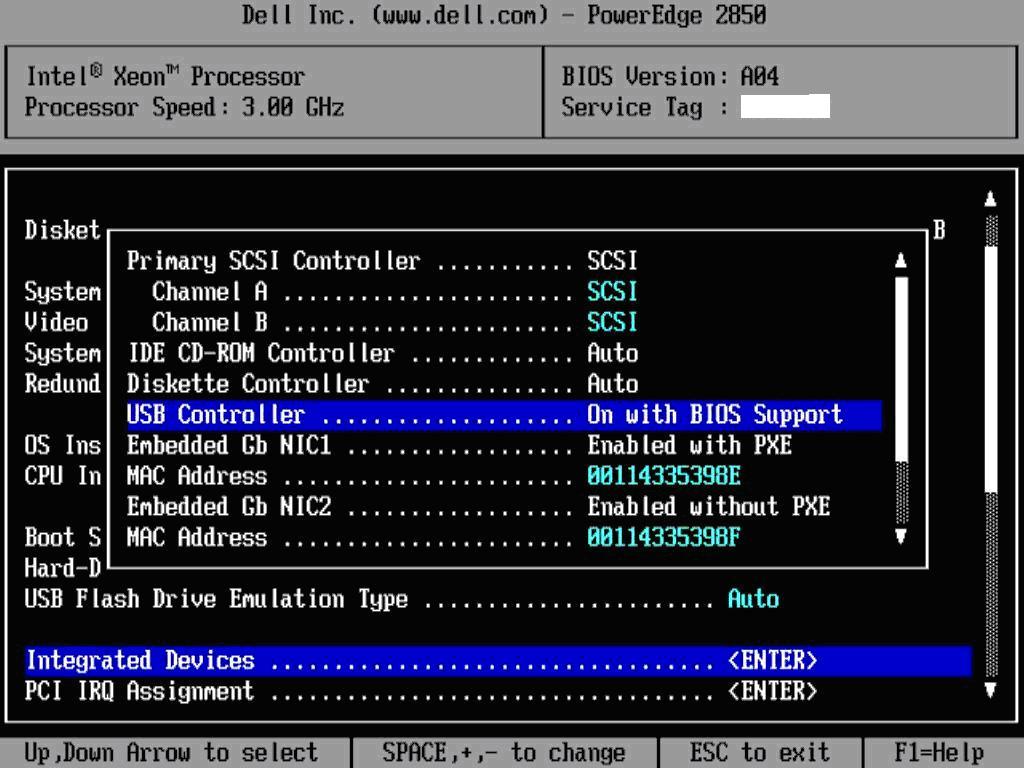
How to Configure Dell Server (2850) BIOS to boot from USB?
- Enter System Setup during server startup
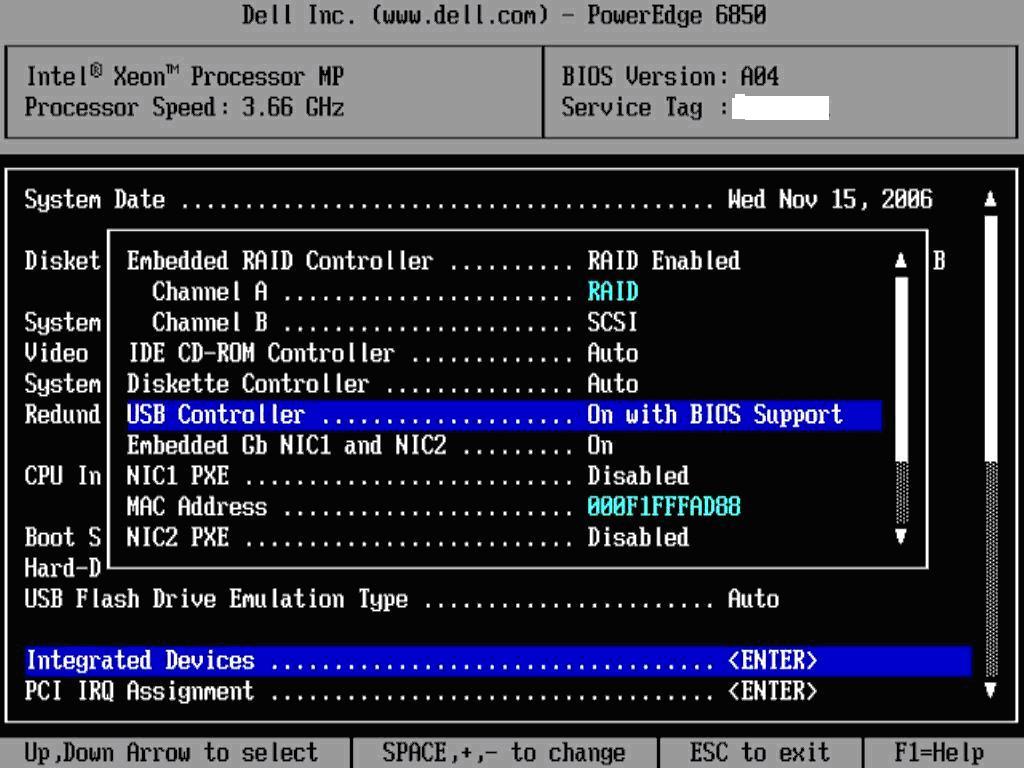
- In the Integrated Devices menu, select “USB Controller” and set to “On with BIOS Support“
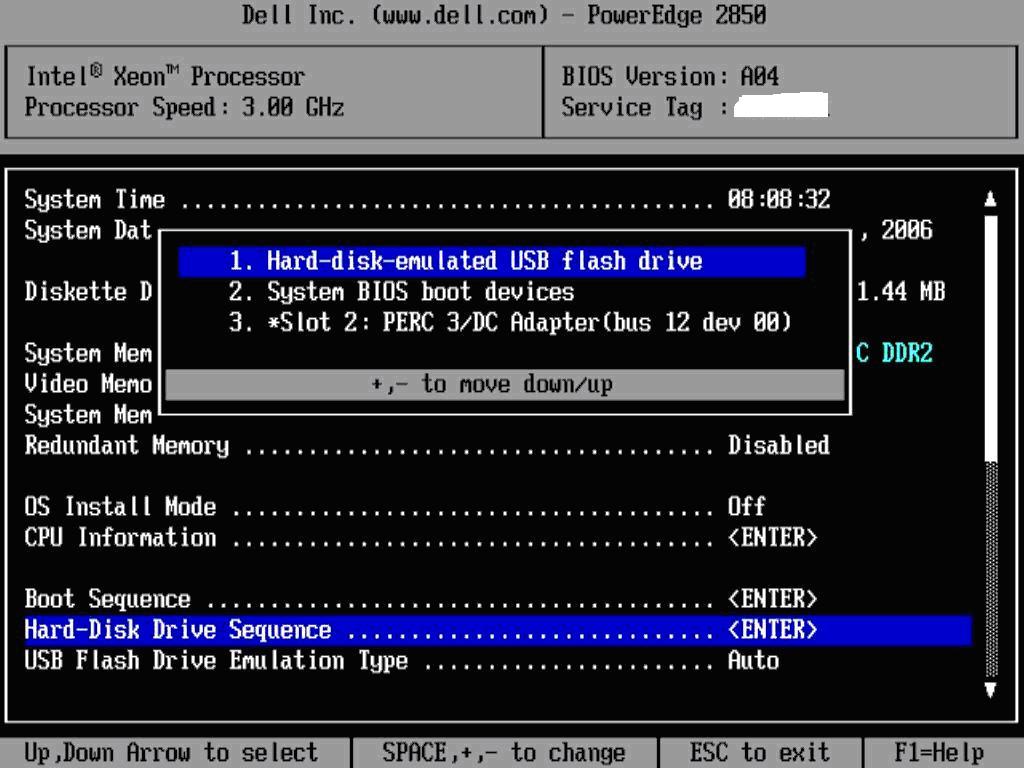
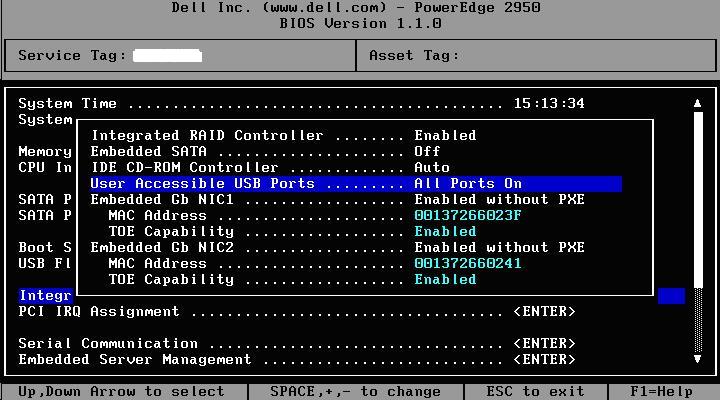
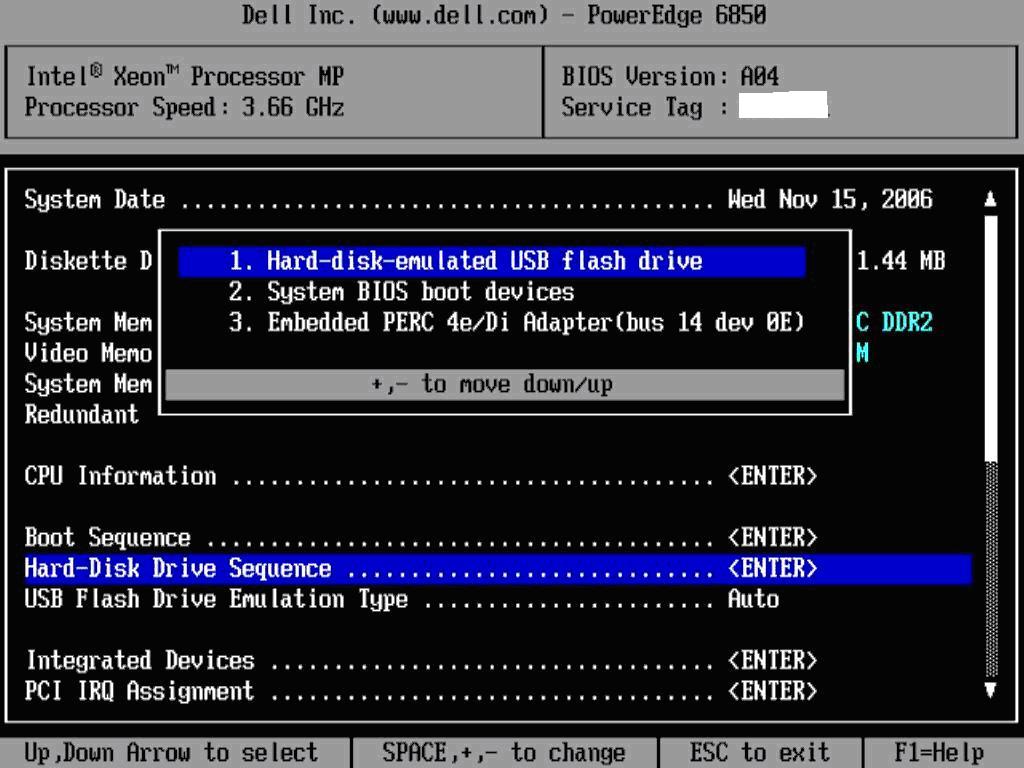
- On the “Select Hard Disk Sequence” menu option, move the USB Flash drive to the top of the list
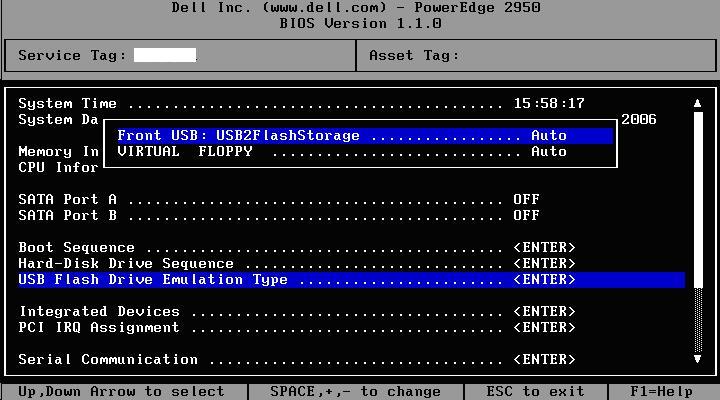
- If you have USB Flash drive connected to the server, under “USB Flash Drive Emulation Type” menu option, you must see USB drive set to “Auto“
|
The Knowledge base is managed by
Open-E data storage software company.