Additional information:
- product name: JovianDSS
- product version: up28r2
- build: all
Problem:
There are known issues with users/group synchronization when connecting to trusted domains with Uni-directional trust configuration.
Symptoms:
Problems with users and group synchronization from the AD server. AD server authentication status -> Connection status marked in orange color in GUI.
Solution:
Please proceed with the following steps:
-
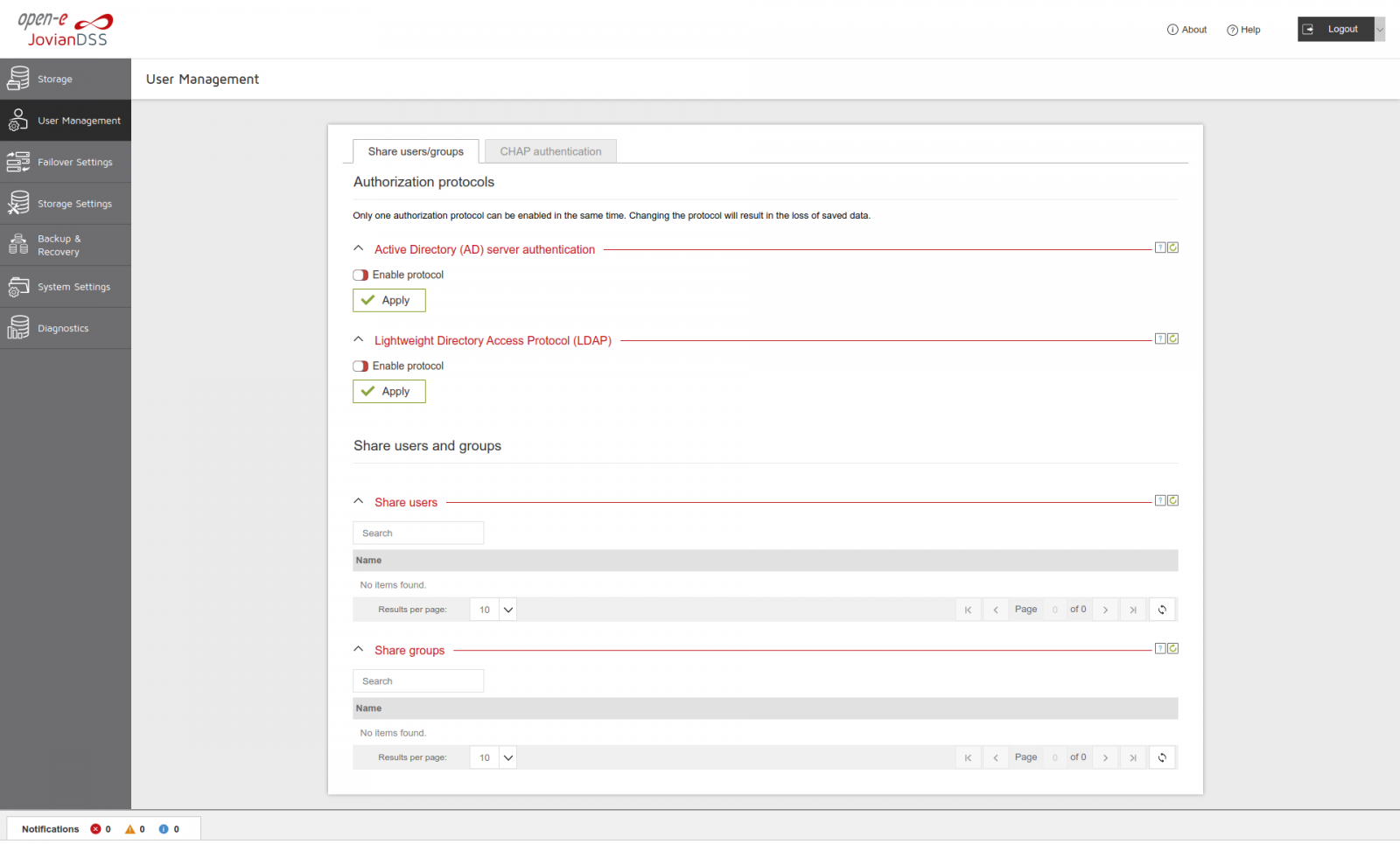
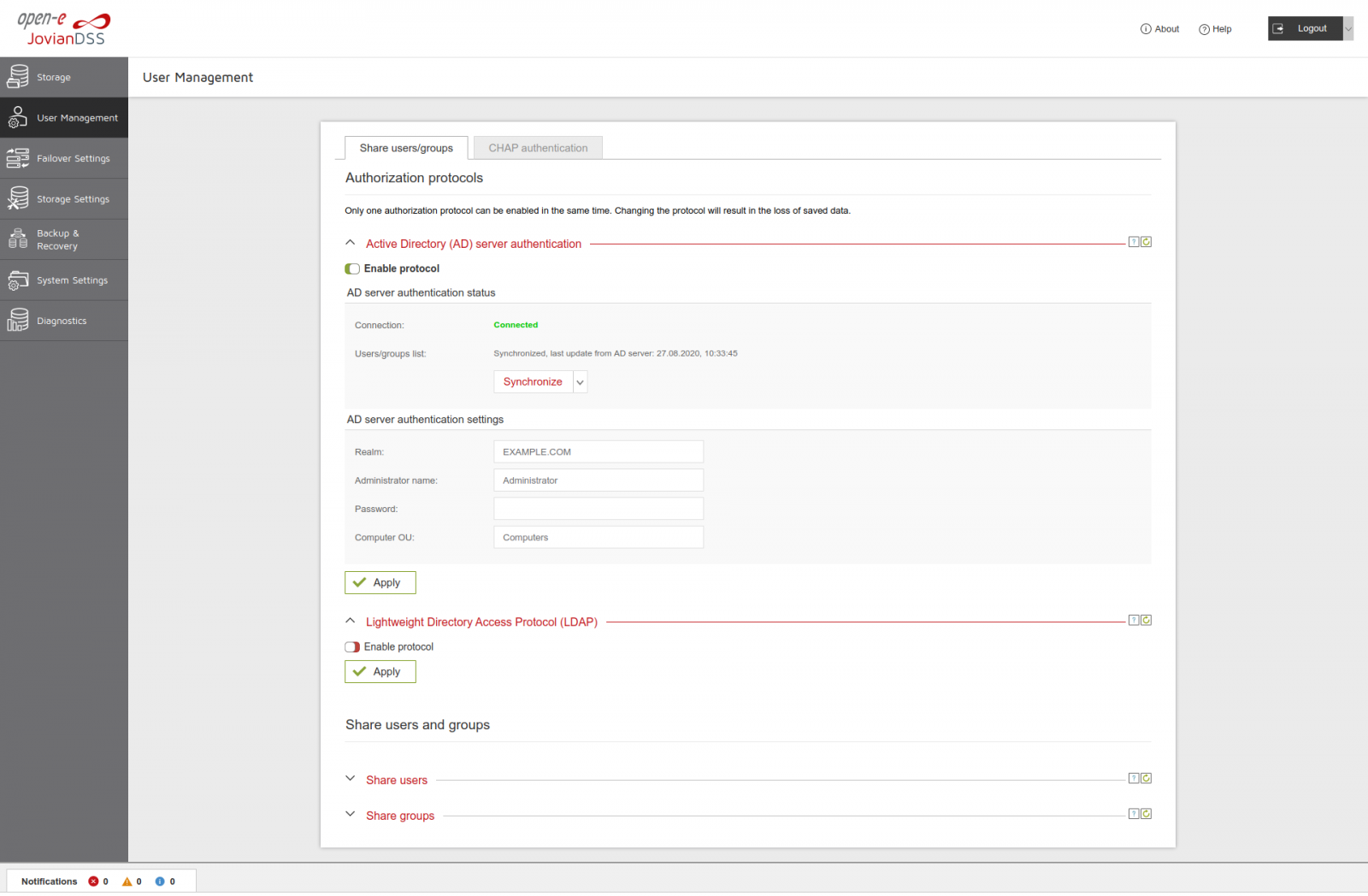
Go to “User Management>Authorization protocols” and turn off “Active Directory (AD) server authentication” protocol and click “Apply”
-
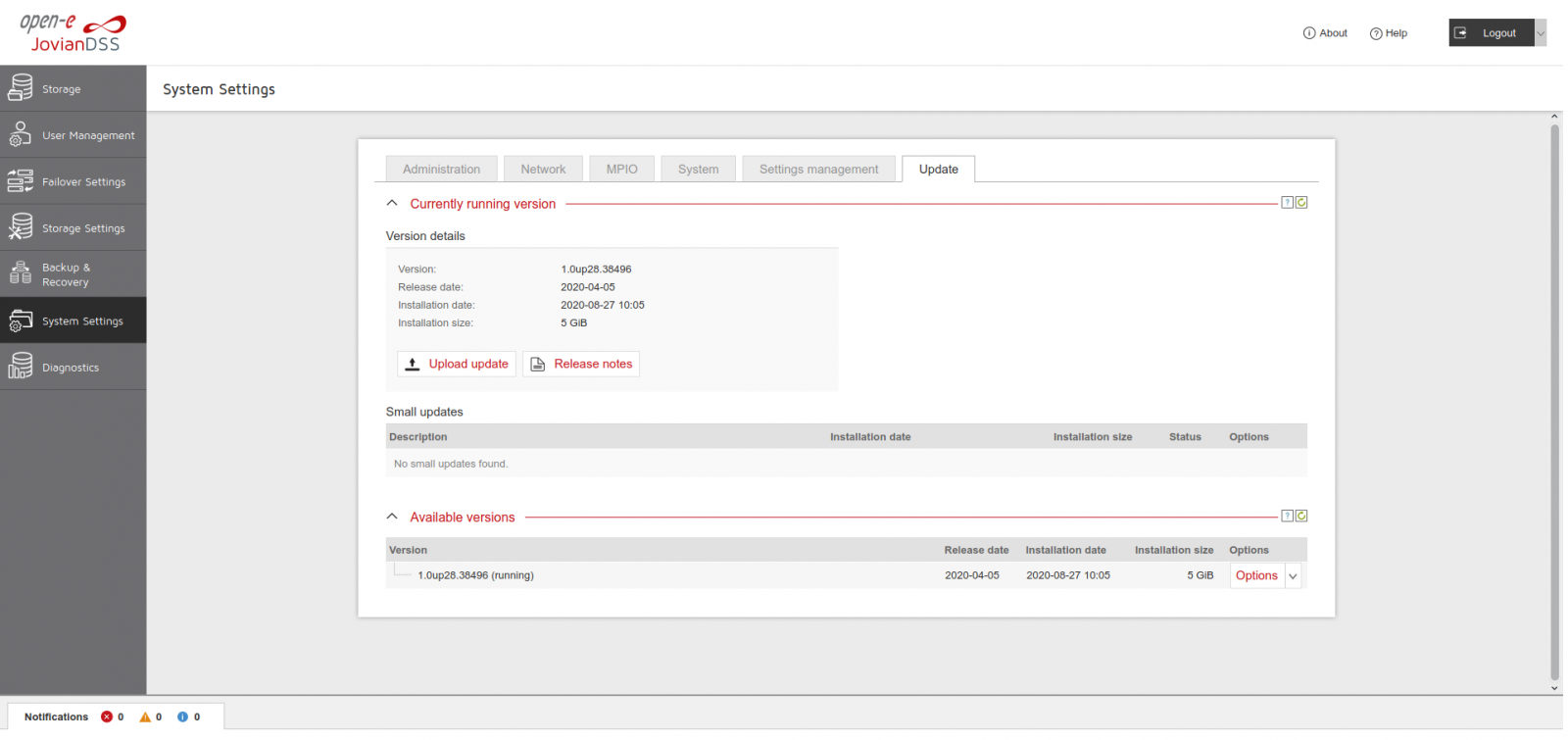
Apply SU upd_90216c-JDSS.upd for up28r2. (you can find it in the attachment)
-
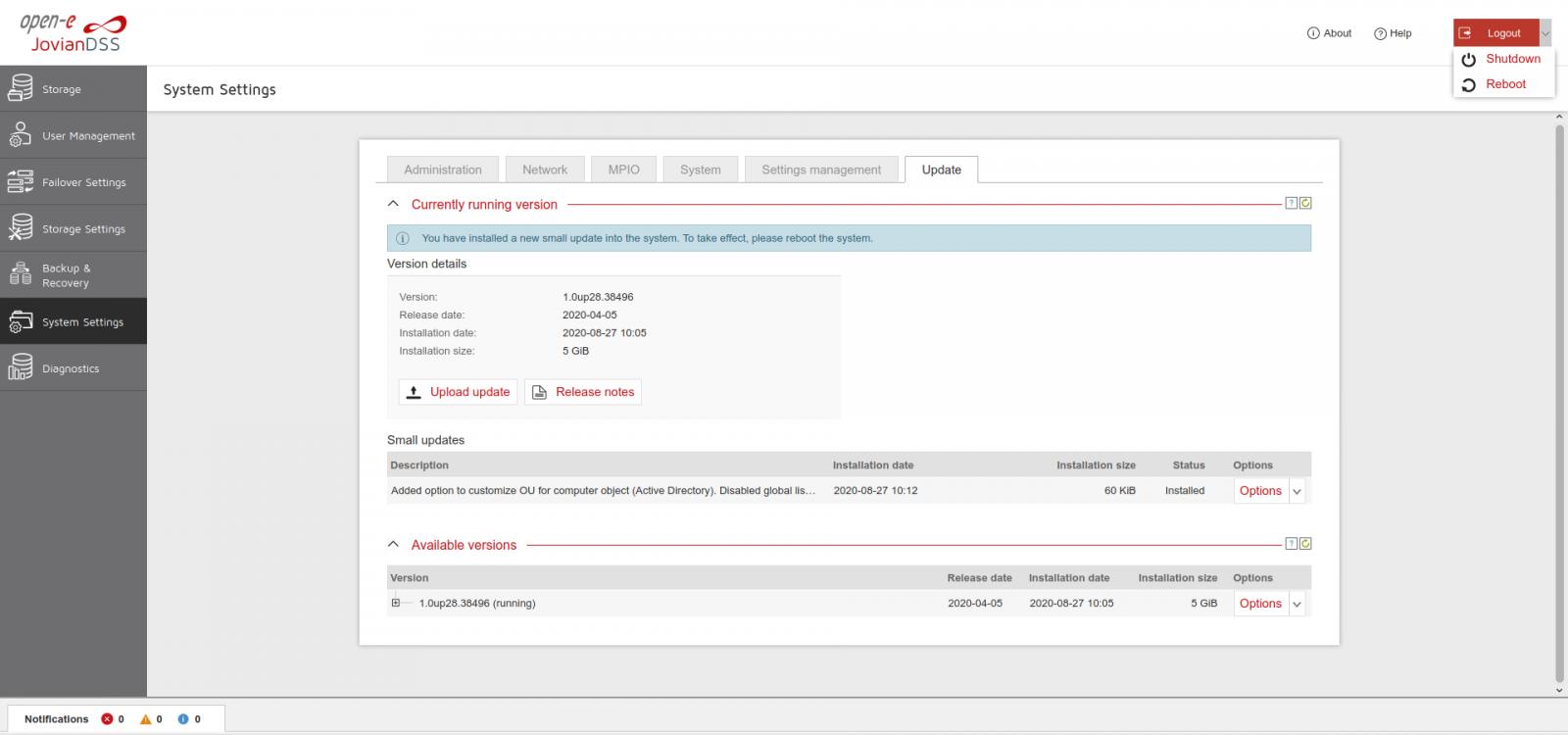
Install and reboot the system to apply updates
-
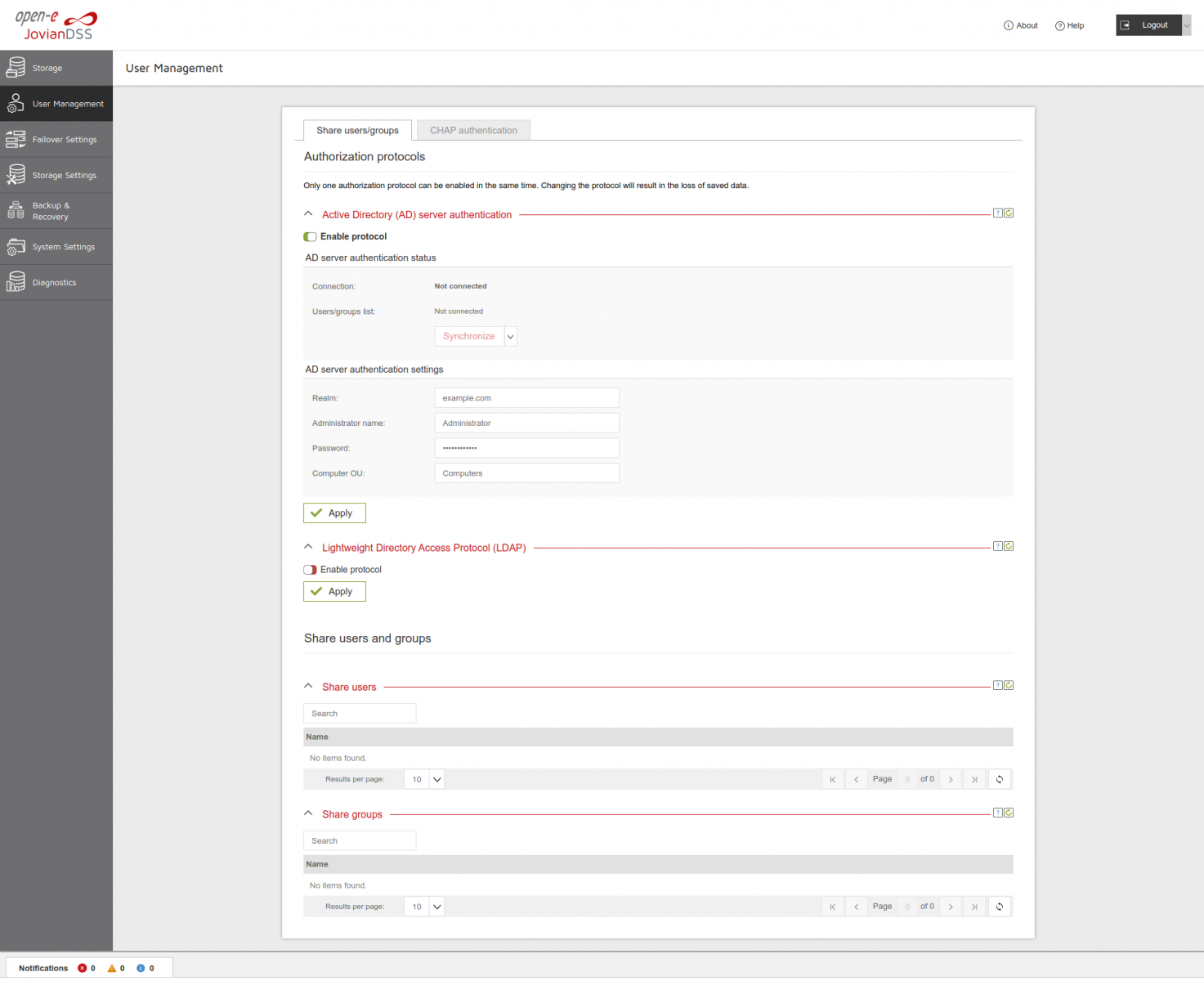
Turn on “Active Directory (AD) server authentication” protocol and enter proper “Realm”, “Administrator name”, “Password” and “Computer OU” and click “Apply”.
-
Make sure that “Connection” status is green “Connected” and “Users/groups list” is “Synchronized…”
-
Please note that only users and groups from directly connected domains will be synchronized. Users and groups from trusted domains will be unavailable.